Spot the security gaps in your devices before anyone else does.
Install an agent on every Windows, macOS or Linux device and manage it all from a web dashboard: which devices you have and how they are doing, which vulnerabilities matter and how to fix them, timely alerts, web blocking and remote access. No security expertise required.
100%of protection changes (firewall, DNS, web blocking) can be undone and are audited
In 30 seconds
What NextAnalyzer is and how it works
Two pieces and one person who decides. No servers to set up, no complicated consoles.
1. An agent on every device
A lightweight service for Windows, macOS and Linux. It sends the device's inventory and status, watches the antivirus, firewall, disks and ports, and looks for vulnerabilities with the built-in Wazuh engine. Whoever uses the device gets an app that shows the same.
2. A web dashboard for IT
From your browser you see every device, its risk from 0 to 100, alerts and vulnerabilities explained in plain language. It is also where you set up web blocking, alerts, scripts and remote access.
3. You decide and fix
NextAnalyzer tells you what to fix first and how. Anything that changes a device is confirmed and audited; anything that touches protection can be undone. Scripts and software need an administrator's approval.
What it does for you
Know which devices you have, what they run and how they are doing right now: CPU, memory, disks and network.
Find vulnerabilities and misconfigurations, ranked by what really matters.
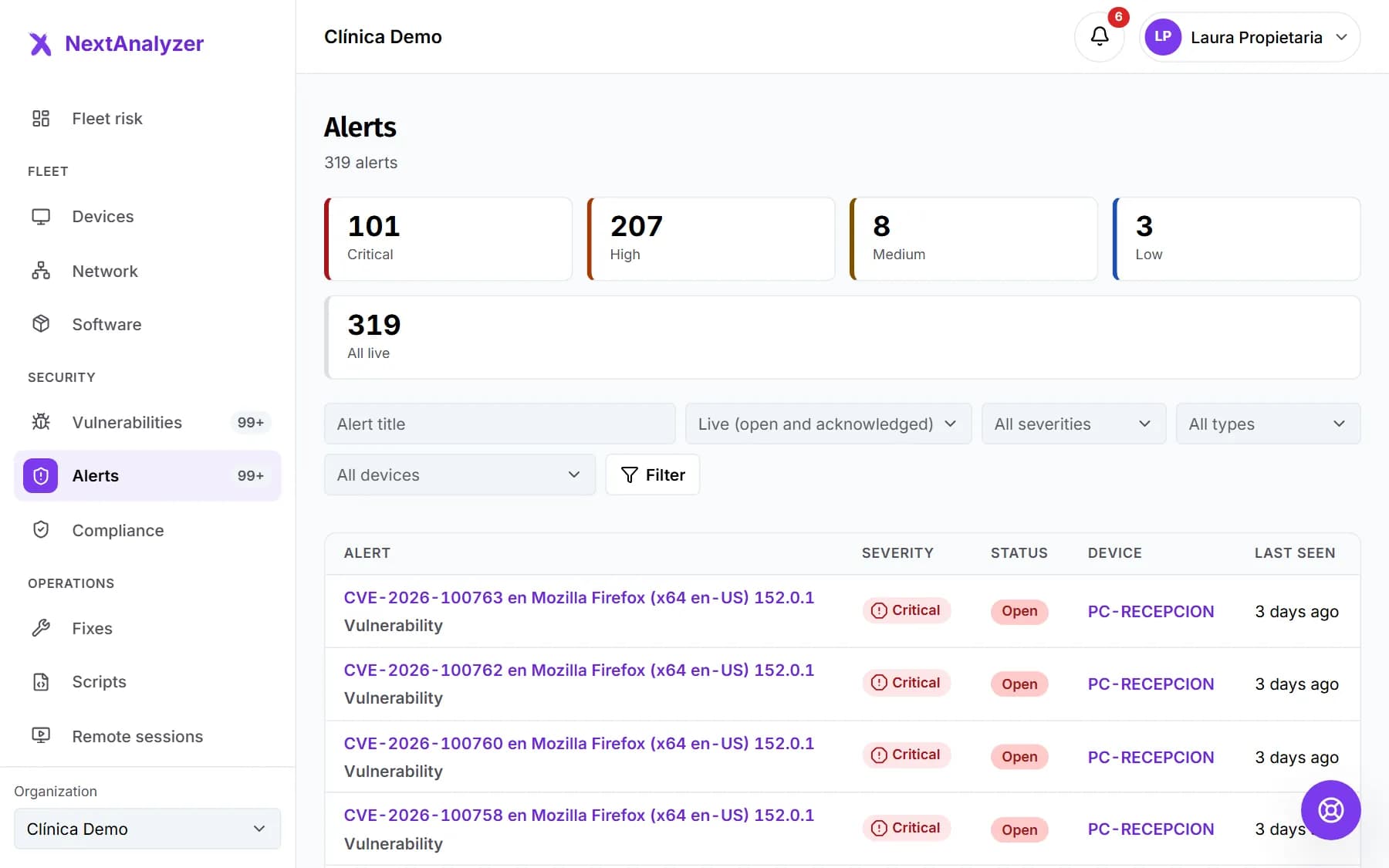
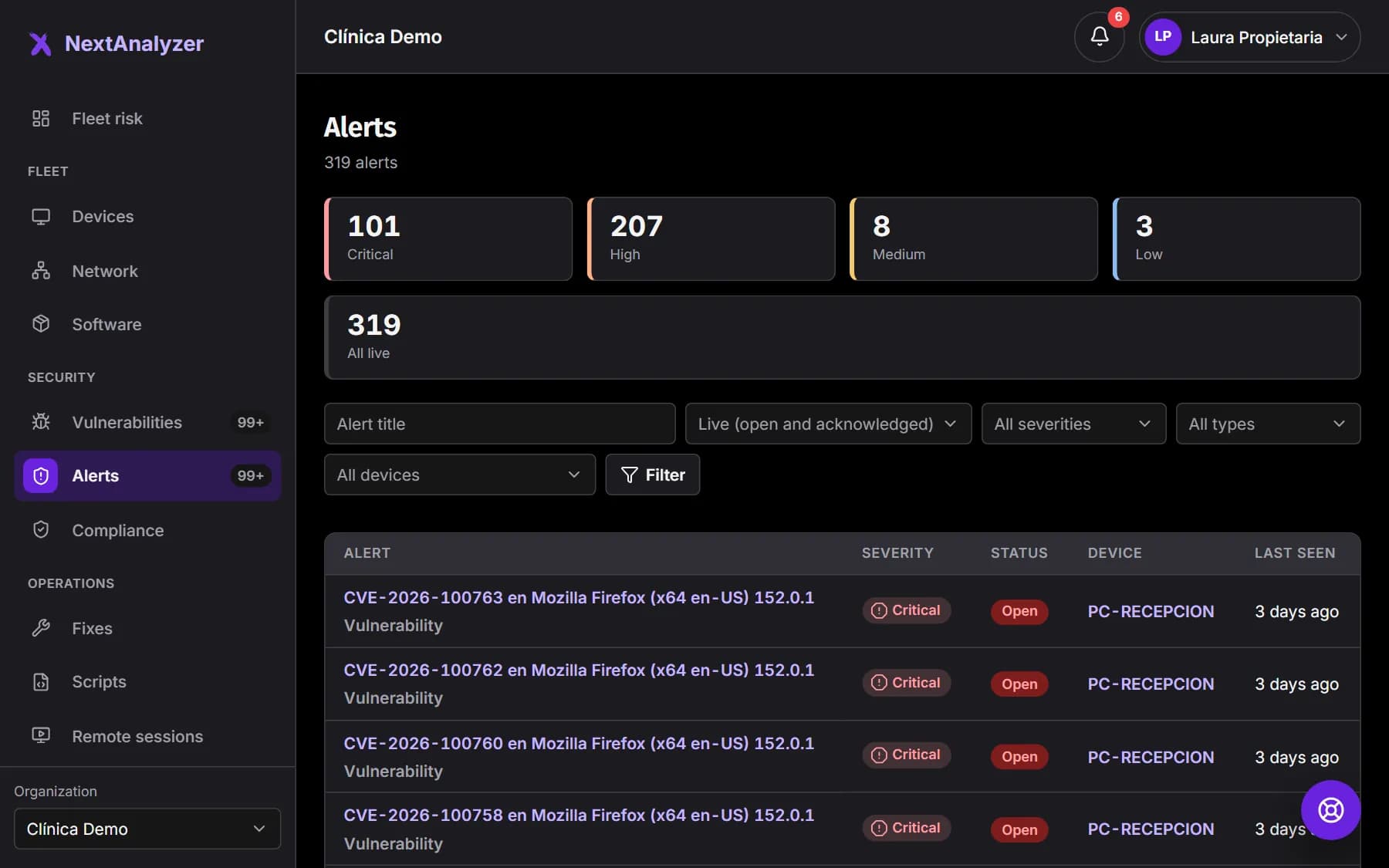
Alert you by email, Teams, Slack or webhook when a device goes offline, the antivirus is turned off or a serious flaw appears.
Fix many devices at once: apps and patches, with pilot devices, a maintenance window and a result per device.
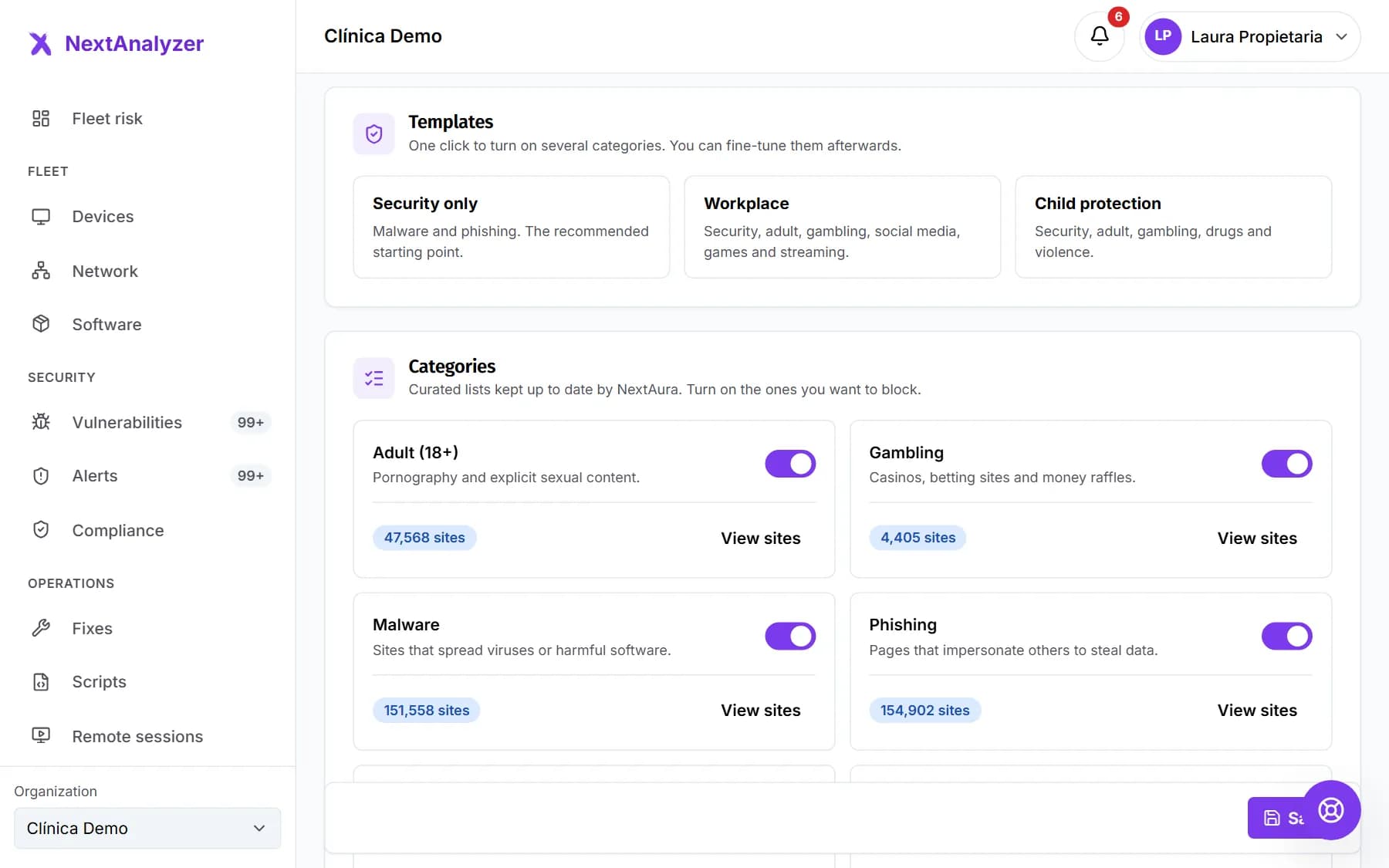
Block dangerous websites and ads, and help any device with remote access from the browser.
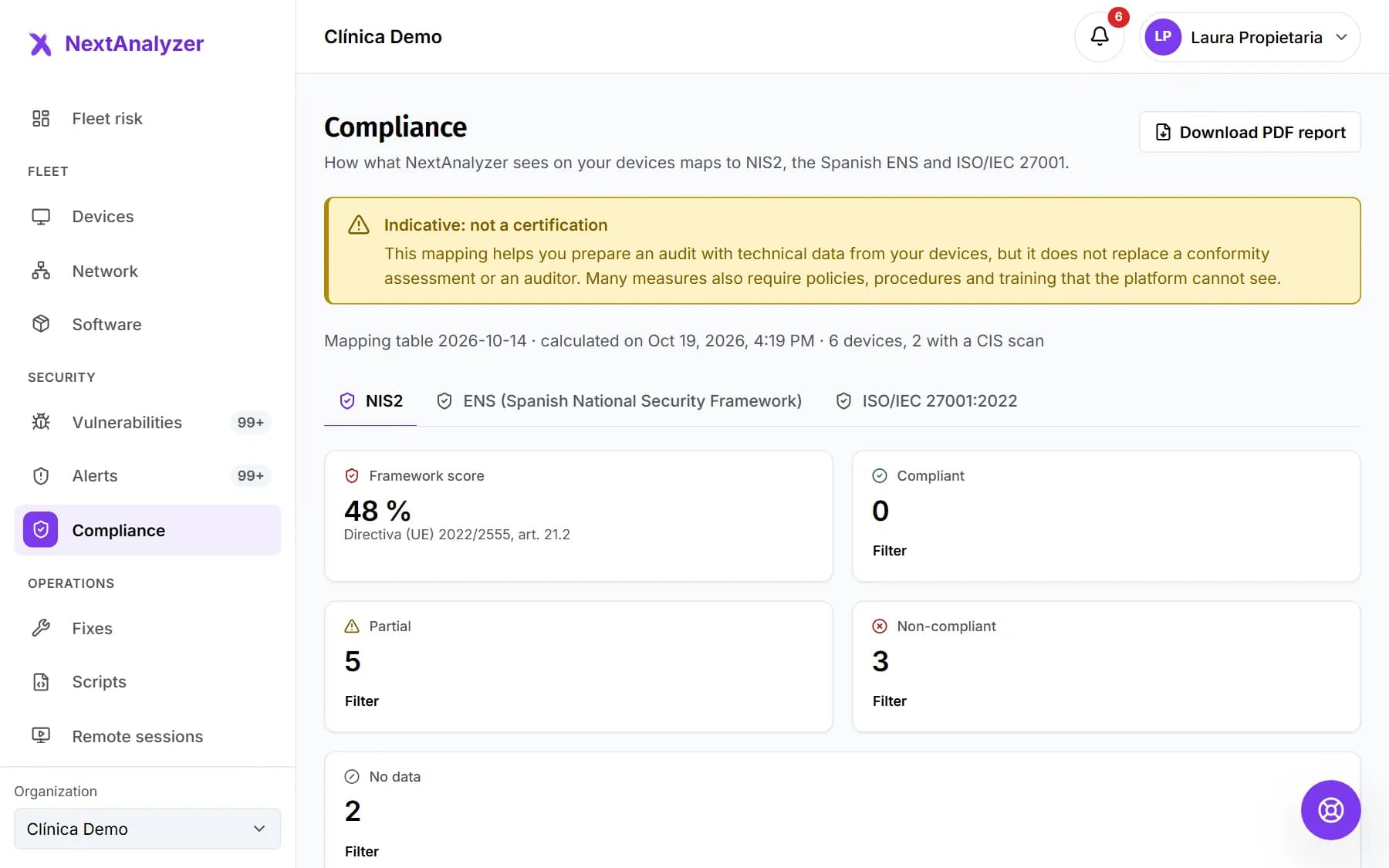
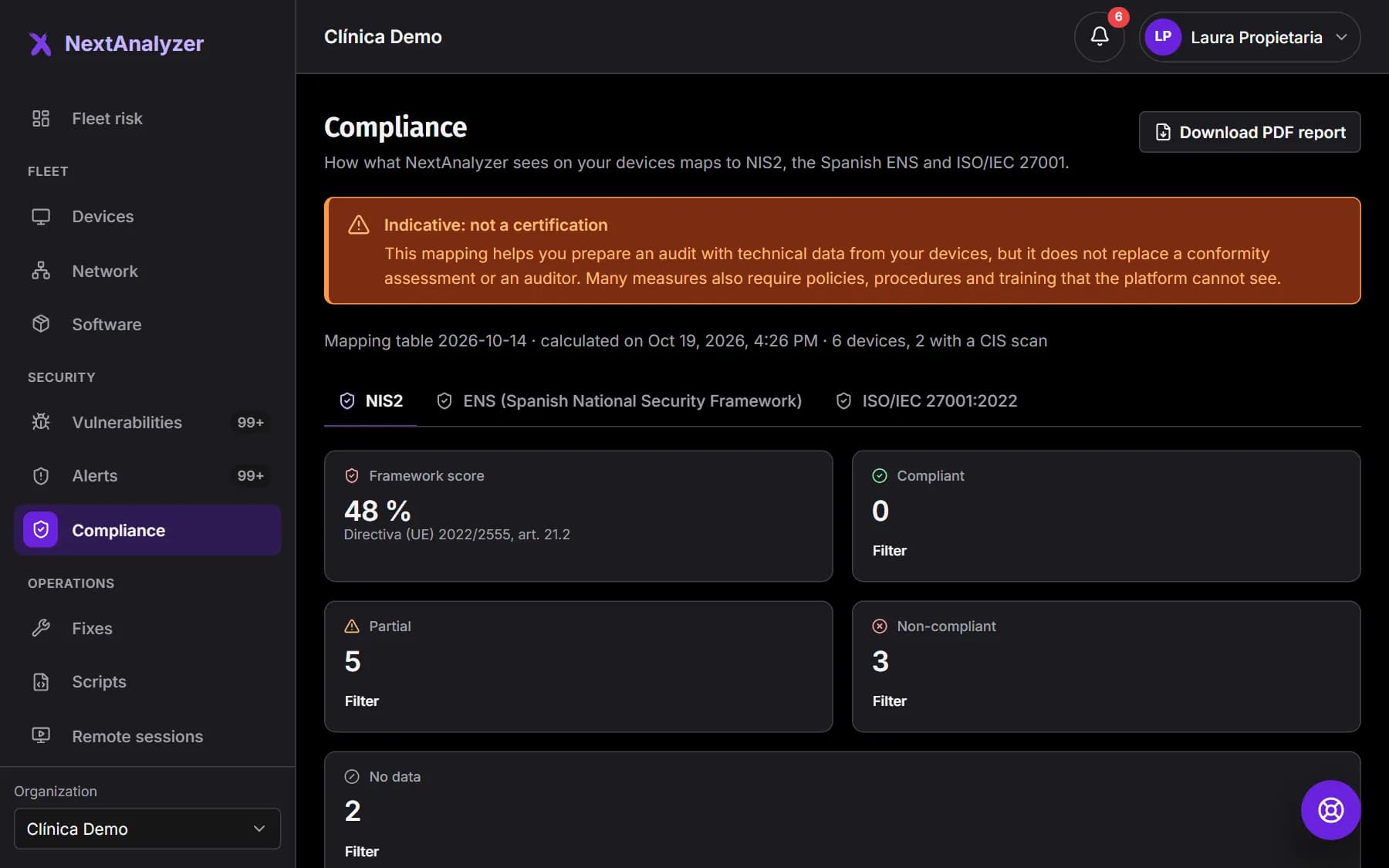
Show progress with PDF reports and your indicative compliance with NIS2, ENS and ISO 27001.
What it doesn't do
It doesn't replace your antivirus: it checks that it is on and up to date, and alerts you if it isn't.
It doesn't read files, emails or keystrokes, and takes no screenshots. Activity history is optional, only stores apps and domains, and the device user can see it.
It changes nothing behind your back: every action is logged, and remote access asks the device user for permission unless an administrator enables unattended mode.
It doesn't install its own firewall: it watches the system's one. Managing its rules from the dashboard and secure mode are coming soon.
It doesn't leave the device without internet if the agent fails: on Windows, the web filter has backup DNS servers.
Protecting devices should not take a security team
Security tools are usually built for specialists. NextAnalyzer is built for whoever has to keep everything running.
You don't know what is installed
Outdated software, antivirus switched off, disks almost full… You usually find out after something has already happened.
Alerts arrive late, or never
A device has been offline for days or has its firewall off, and nobody notices until someone complains.
Fixing it takes an expert
A CVE code does not tell you what to do. You need to know what matters, who it affects and which update or command fixes it.
What it does
Everything you need to protect your device fleet
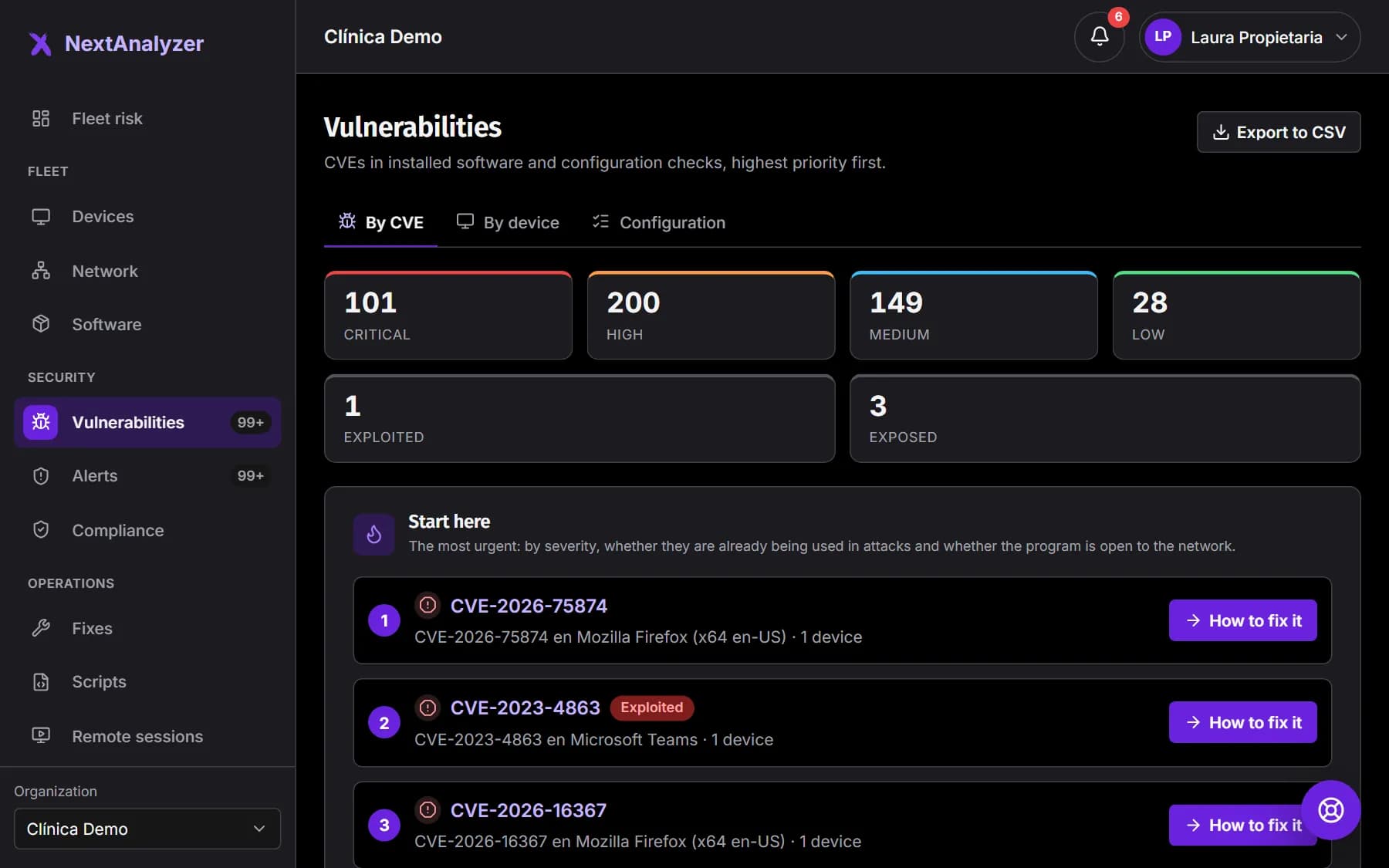
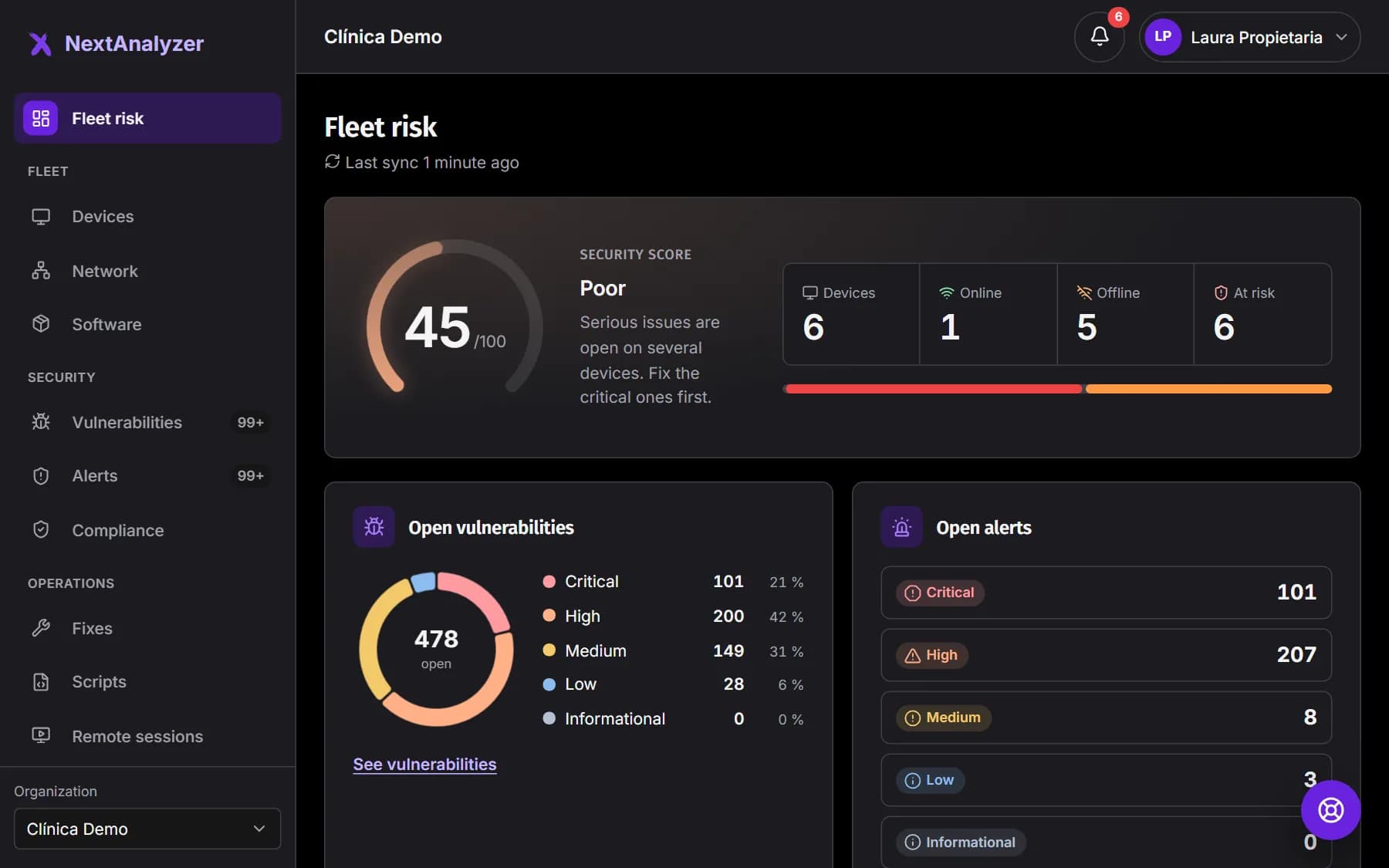
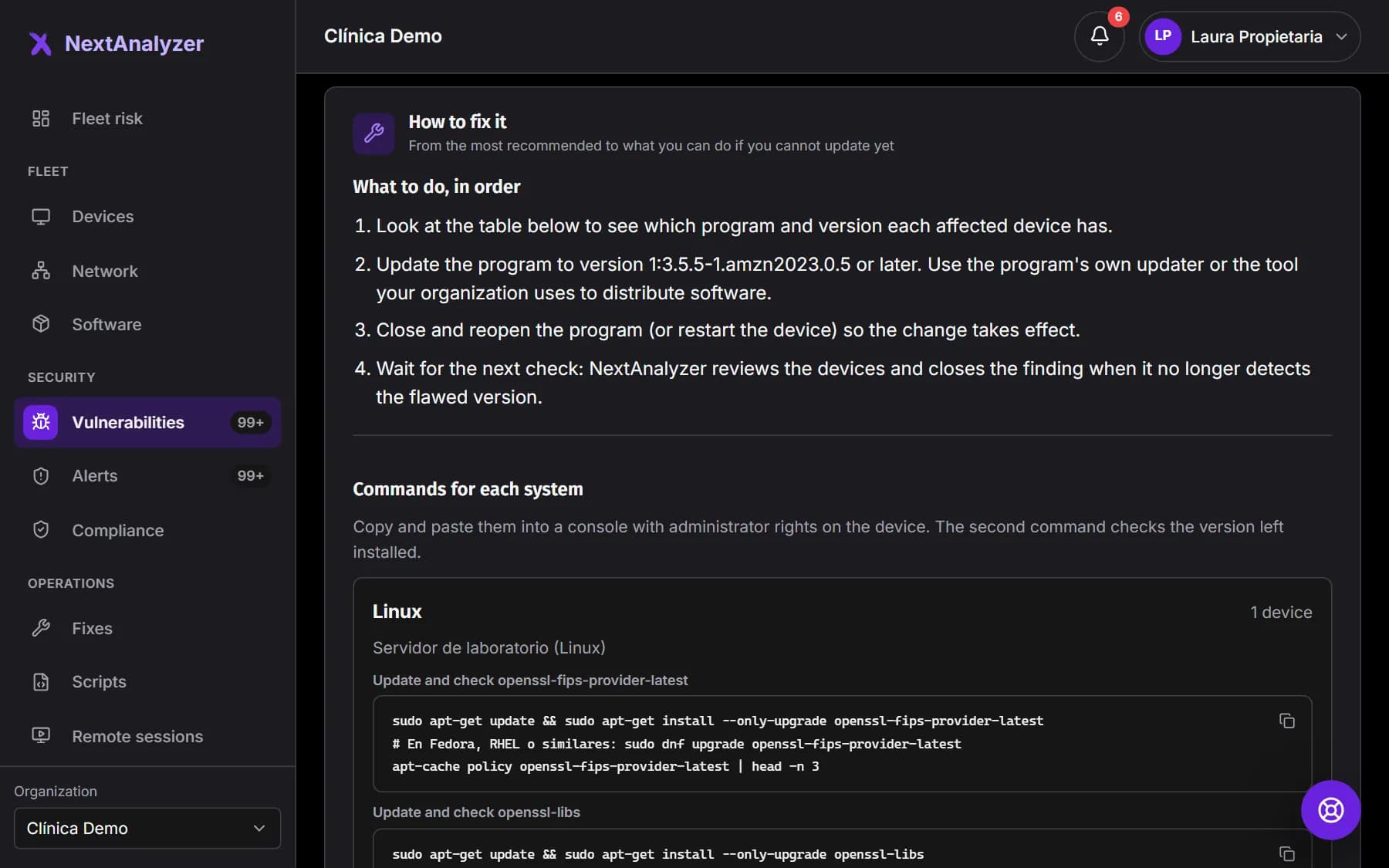
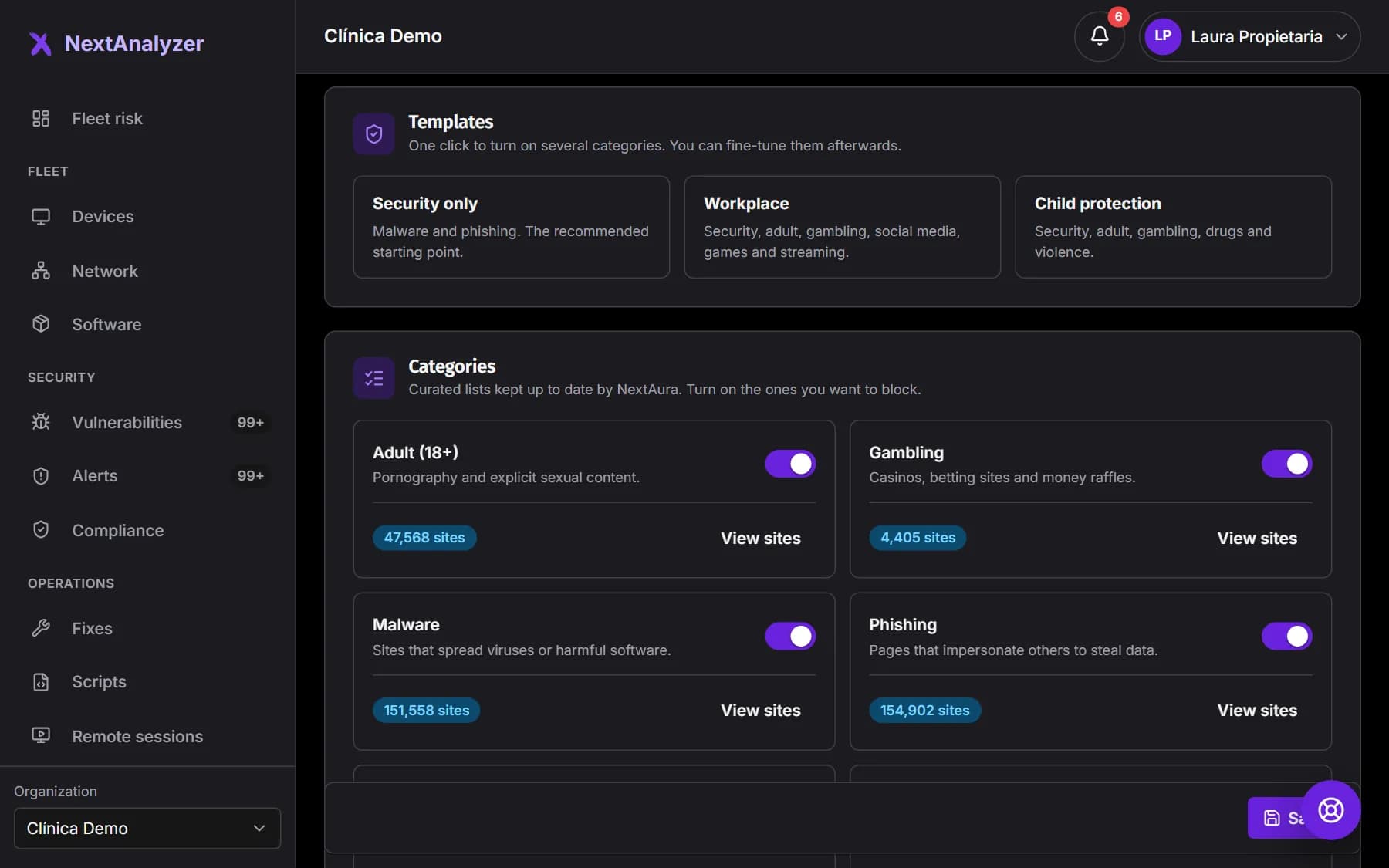
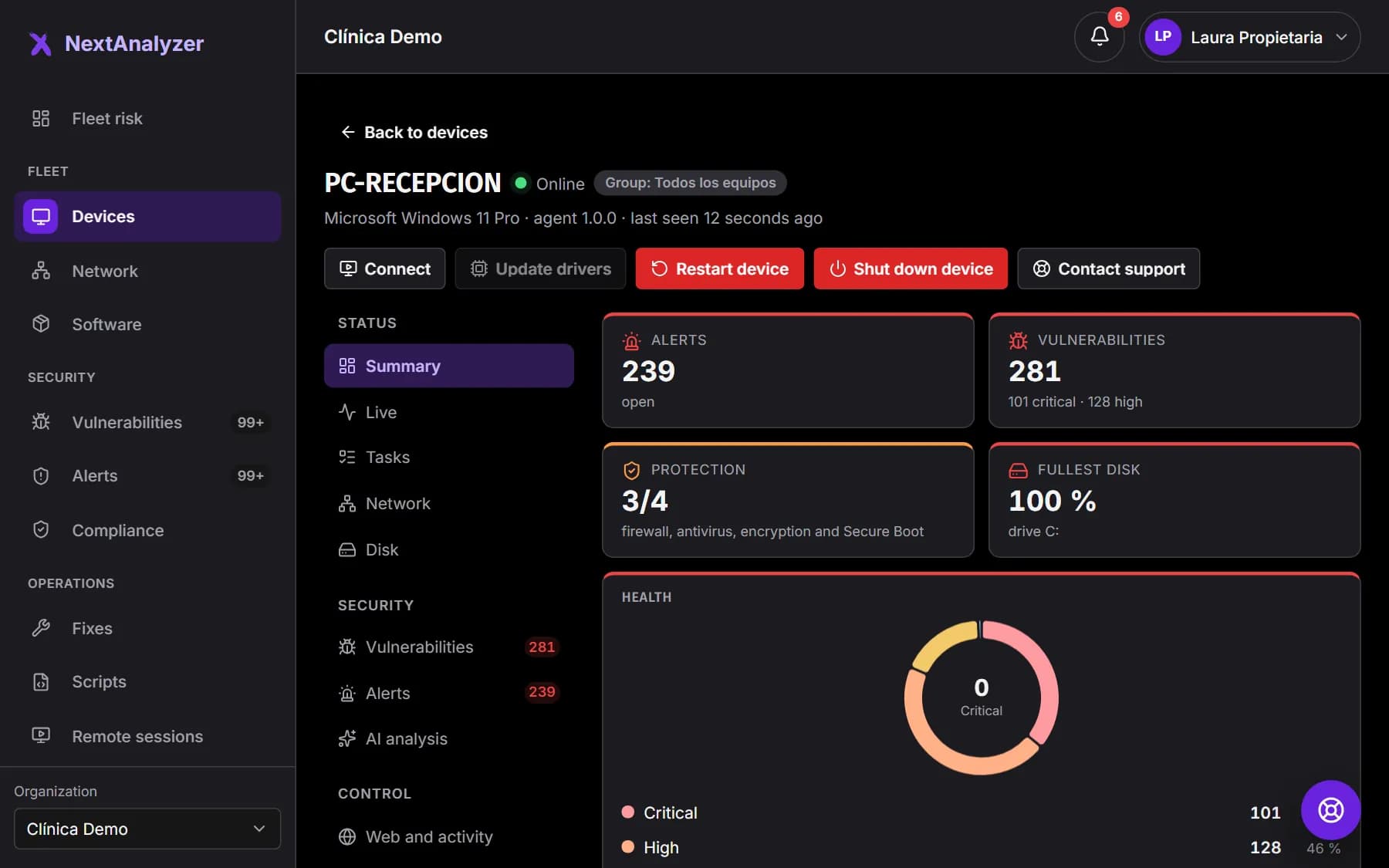
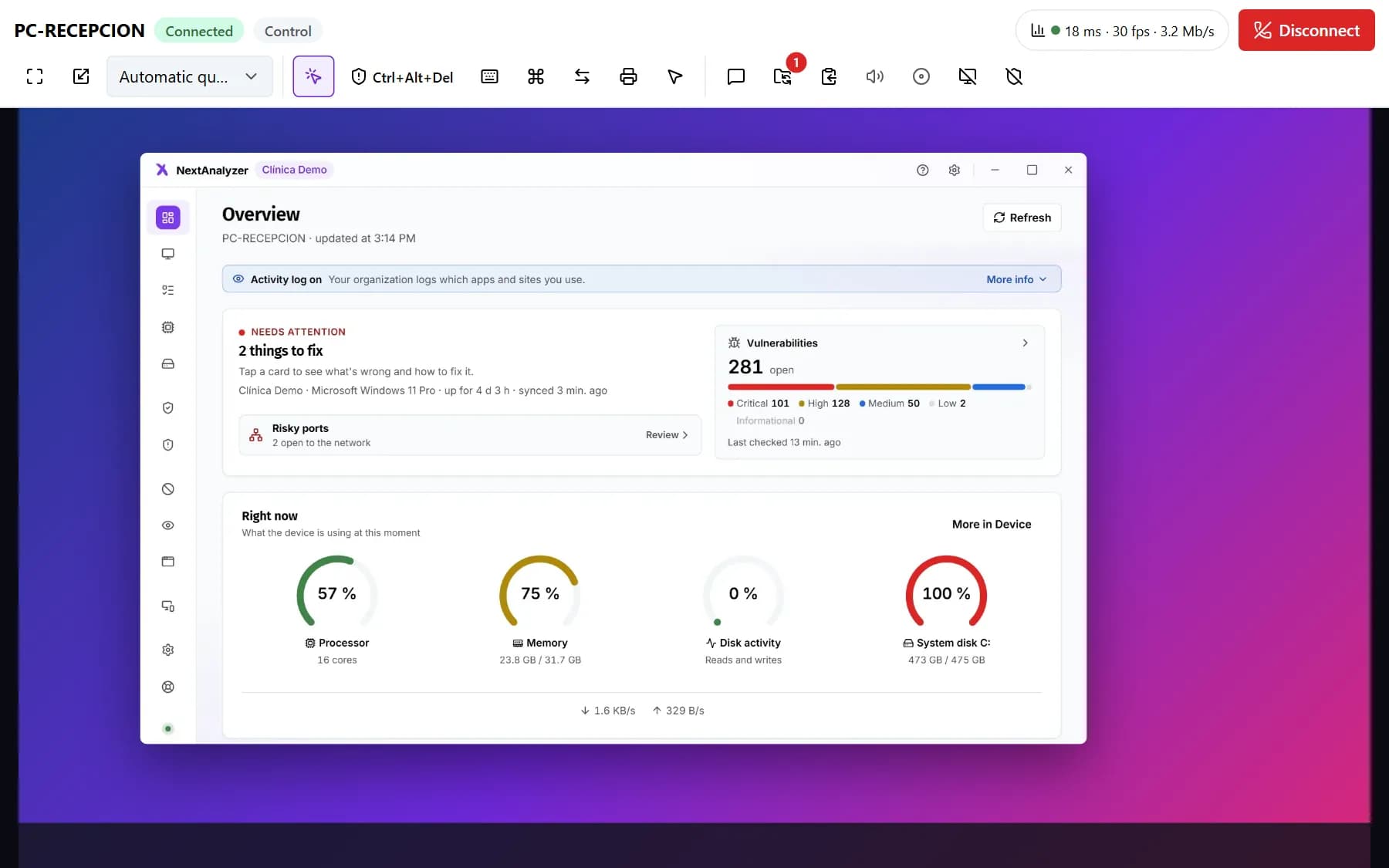
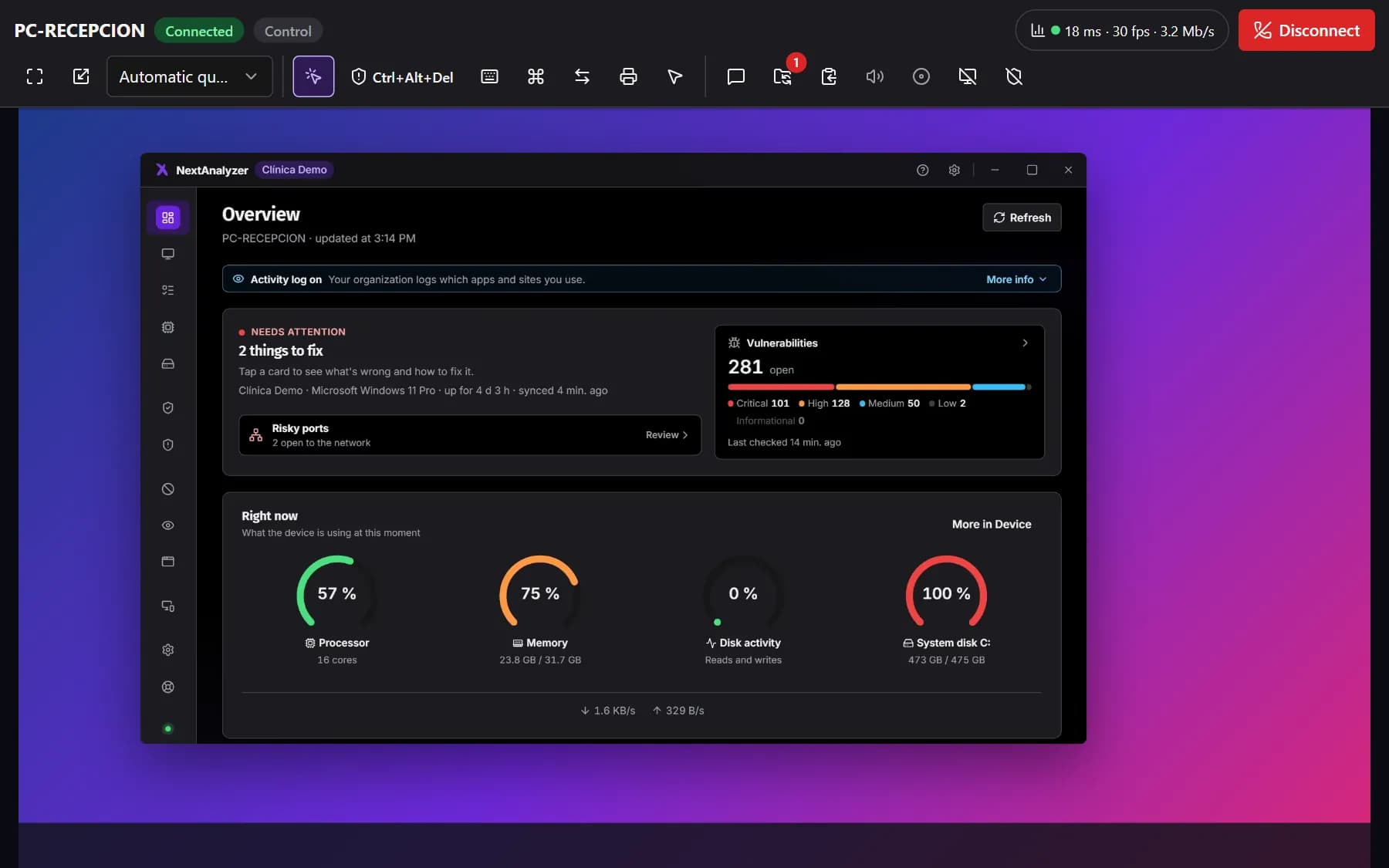
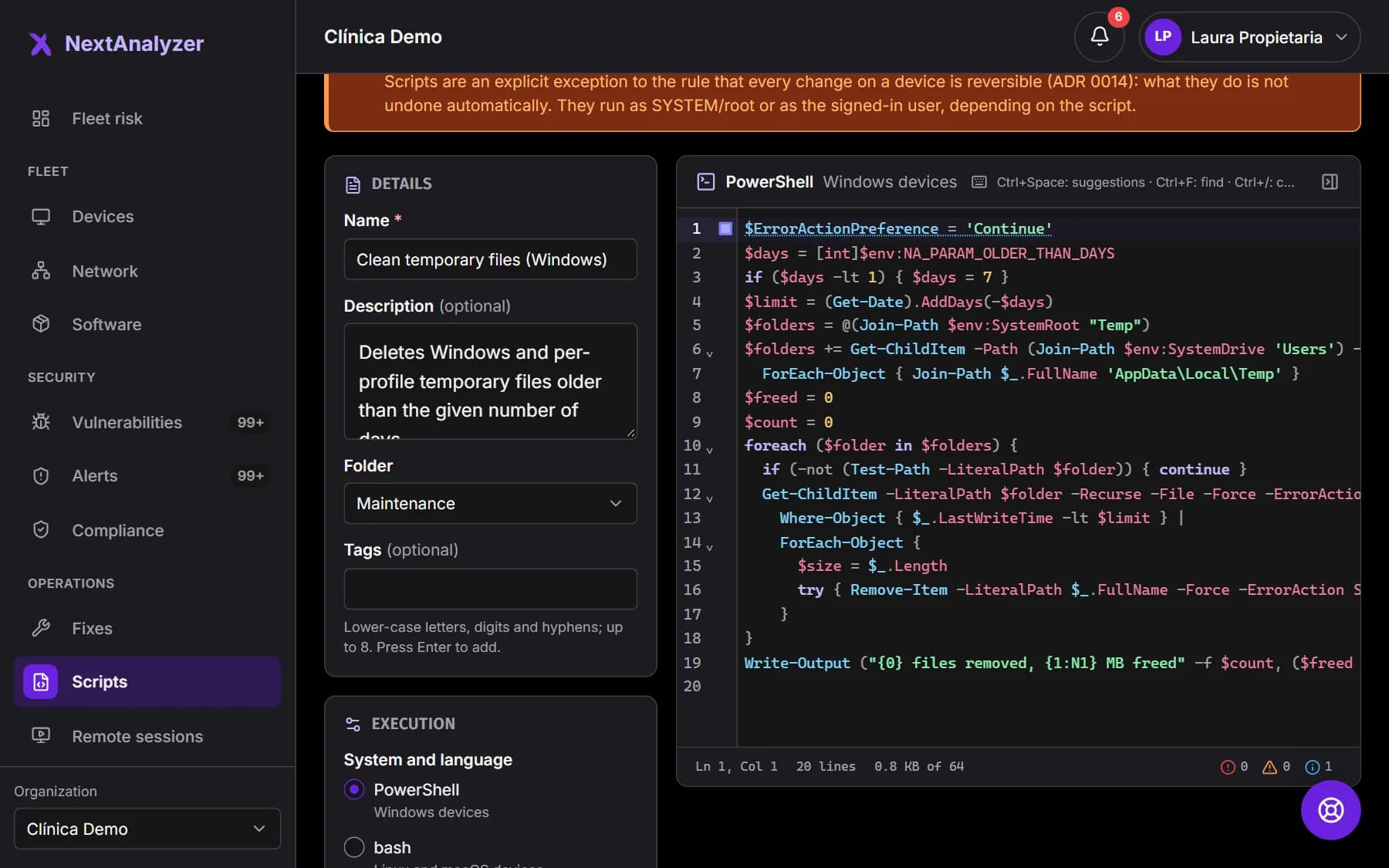
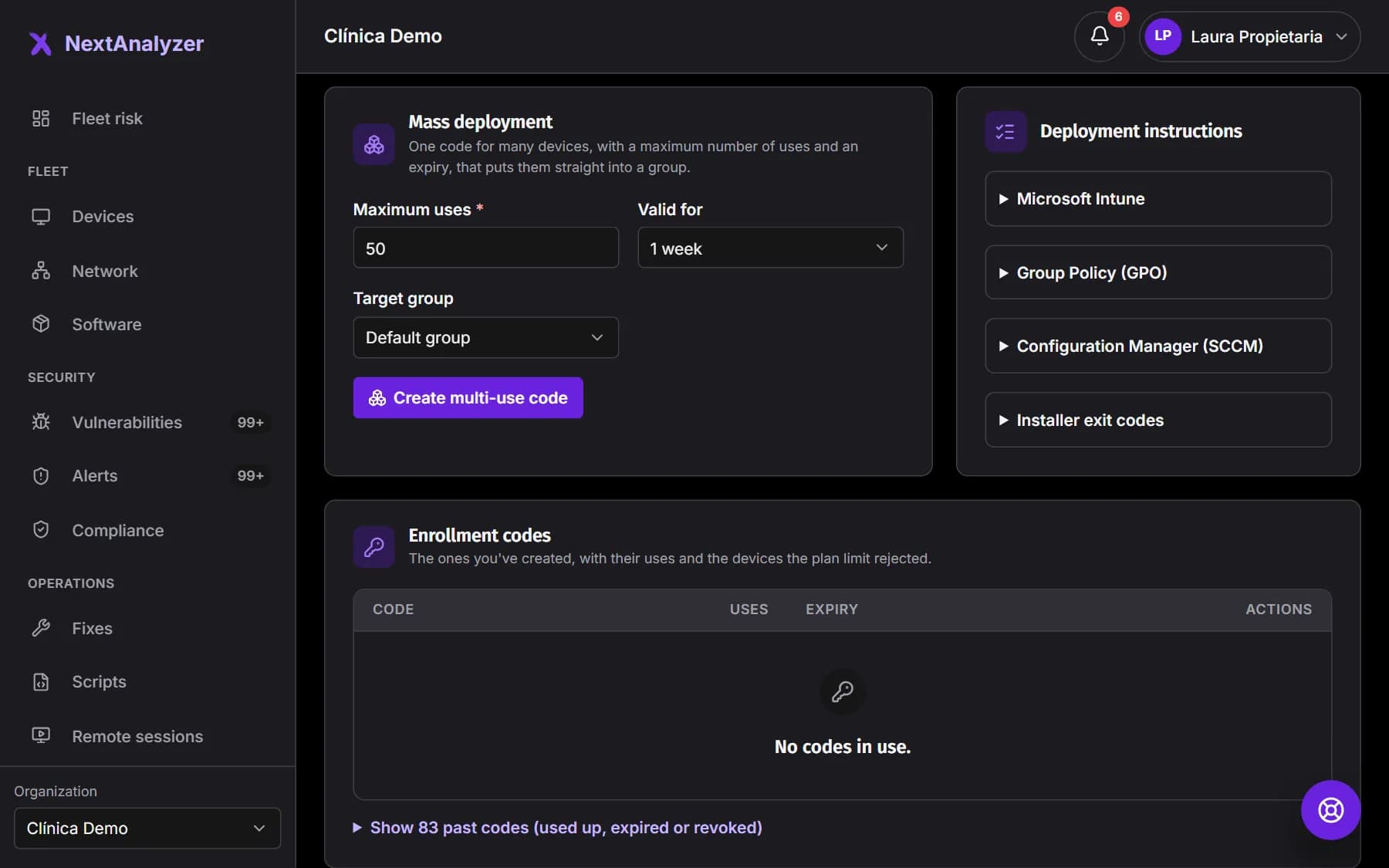
Every screenshot is the real product. Switch to dark mode with the icon in the header and the screenshots switch with you.
The big picture
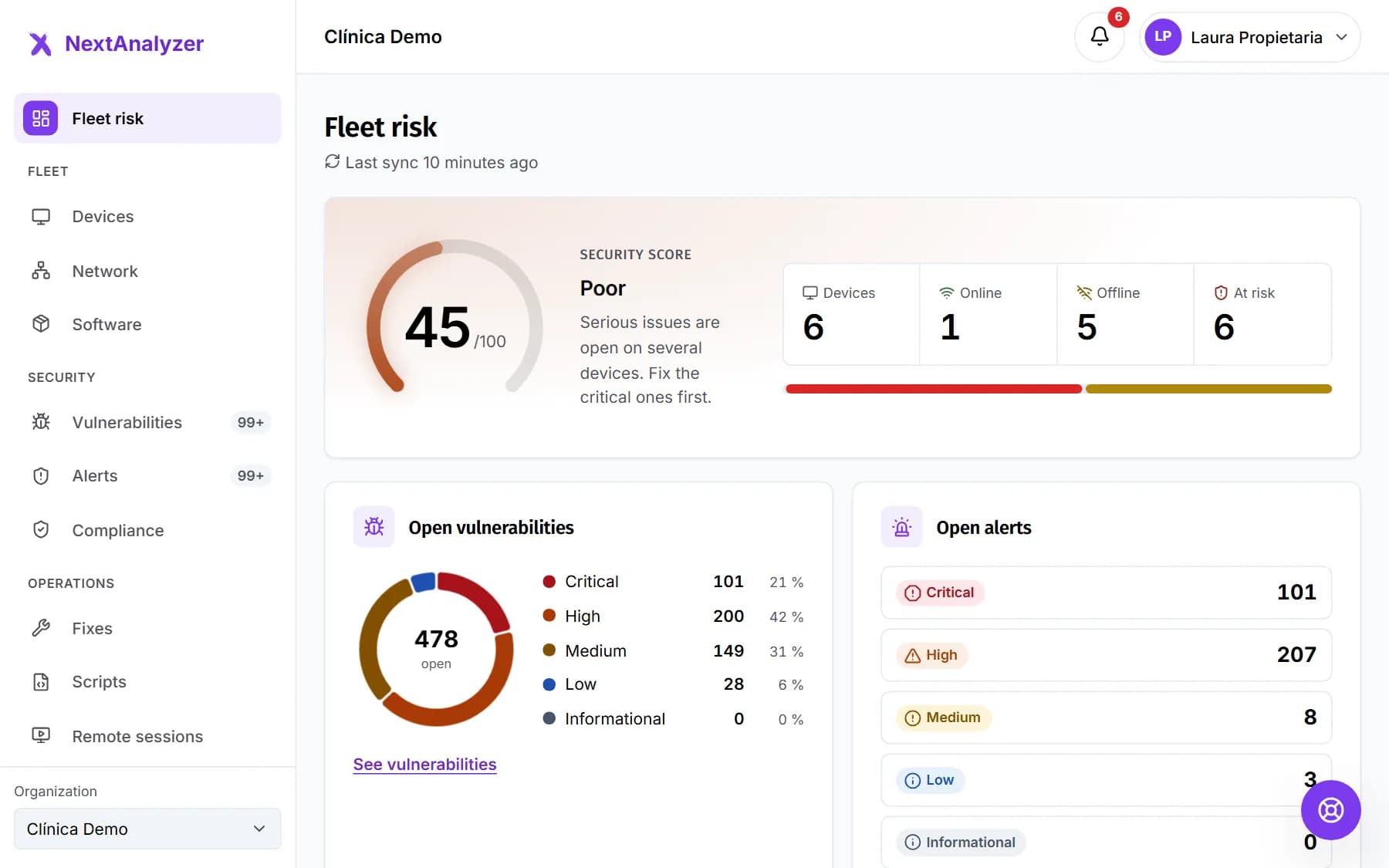
A clear risk score for your whole fleet
Open the dashboard and you know where you stand: a score from 0 to 100 with its explanation, how many devices are online and which ones need attention.
Security score with its band: good, fair, poor or critical
Open vulnerabilities and alerts by severity, at a glance
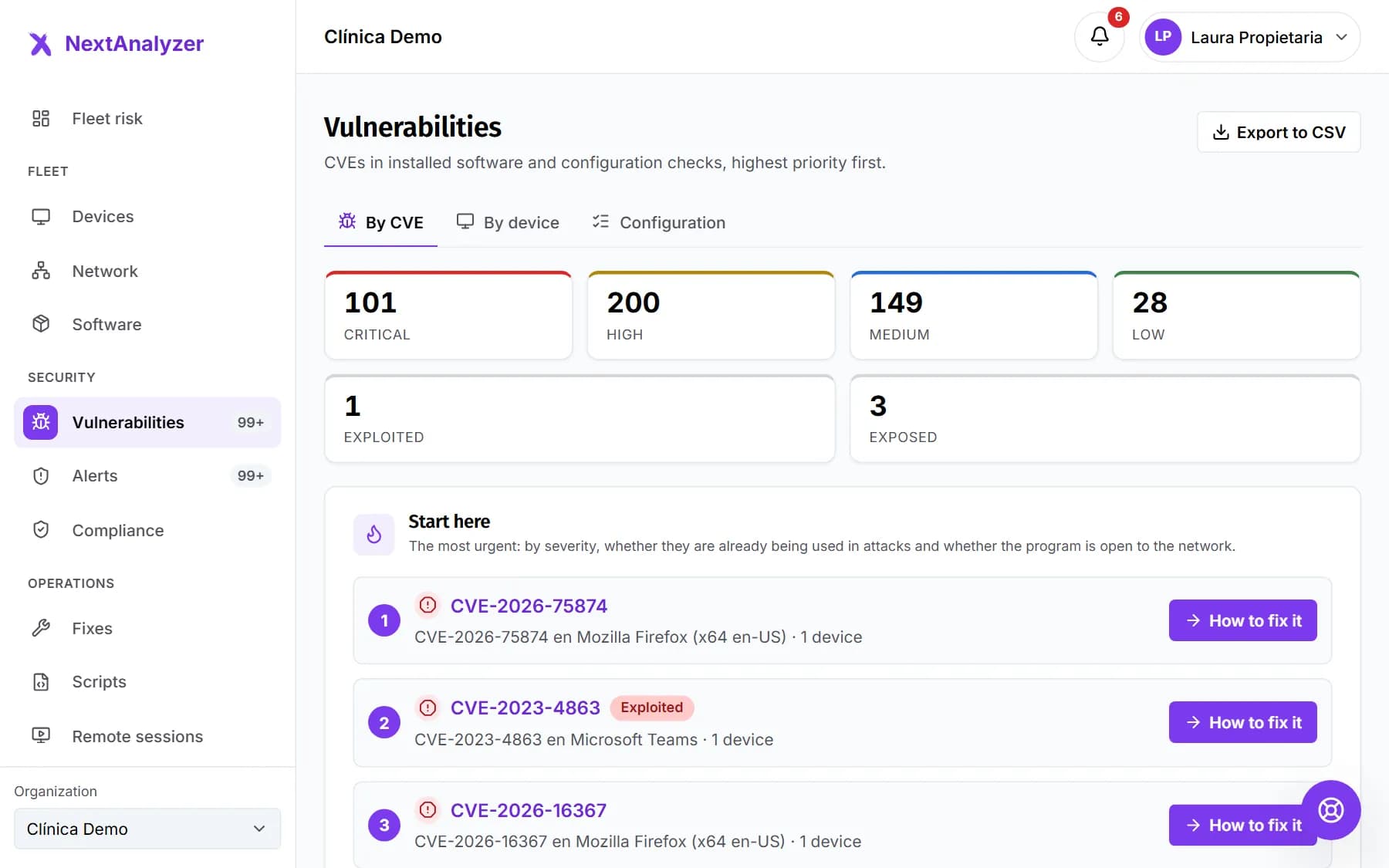
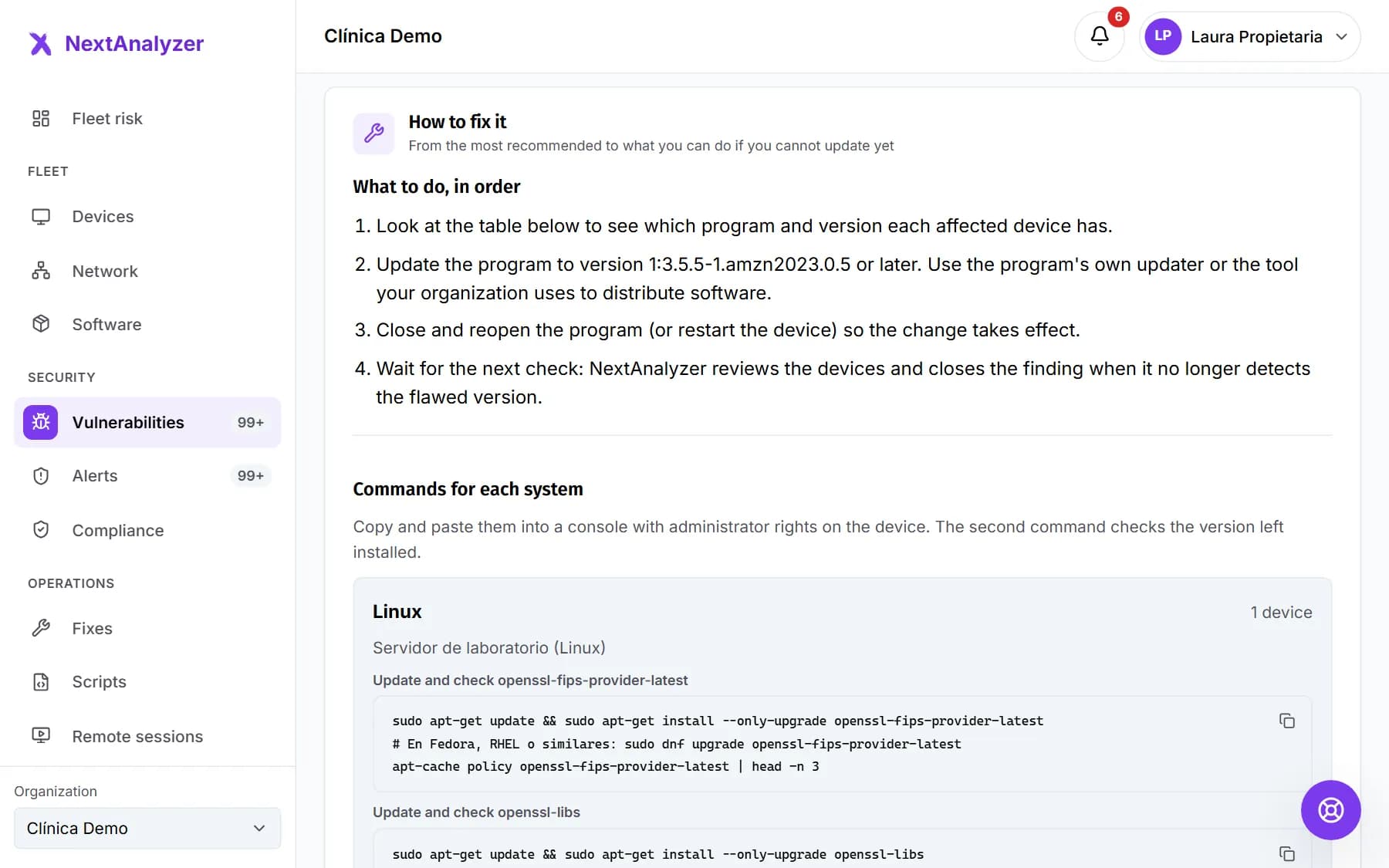
Start with what really matters and fix it without being an expert
We rank CVEs by severity, by whether they are already being exploited in real attacks and by whether the software is exposed to the network. Each one comes with its “How to fix it”.
“Start here”: the most urgent first
Explained without jargon: what it is, what risk it poses and how to resolve it
Every CVE explained by AI, in one version for management and one for the technician
The full profile of each device, and remote actions
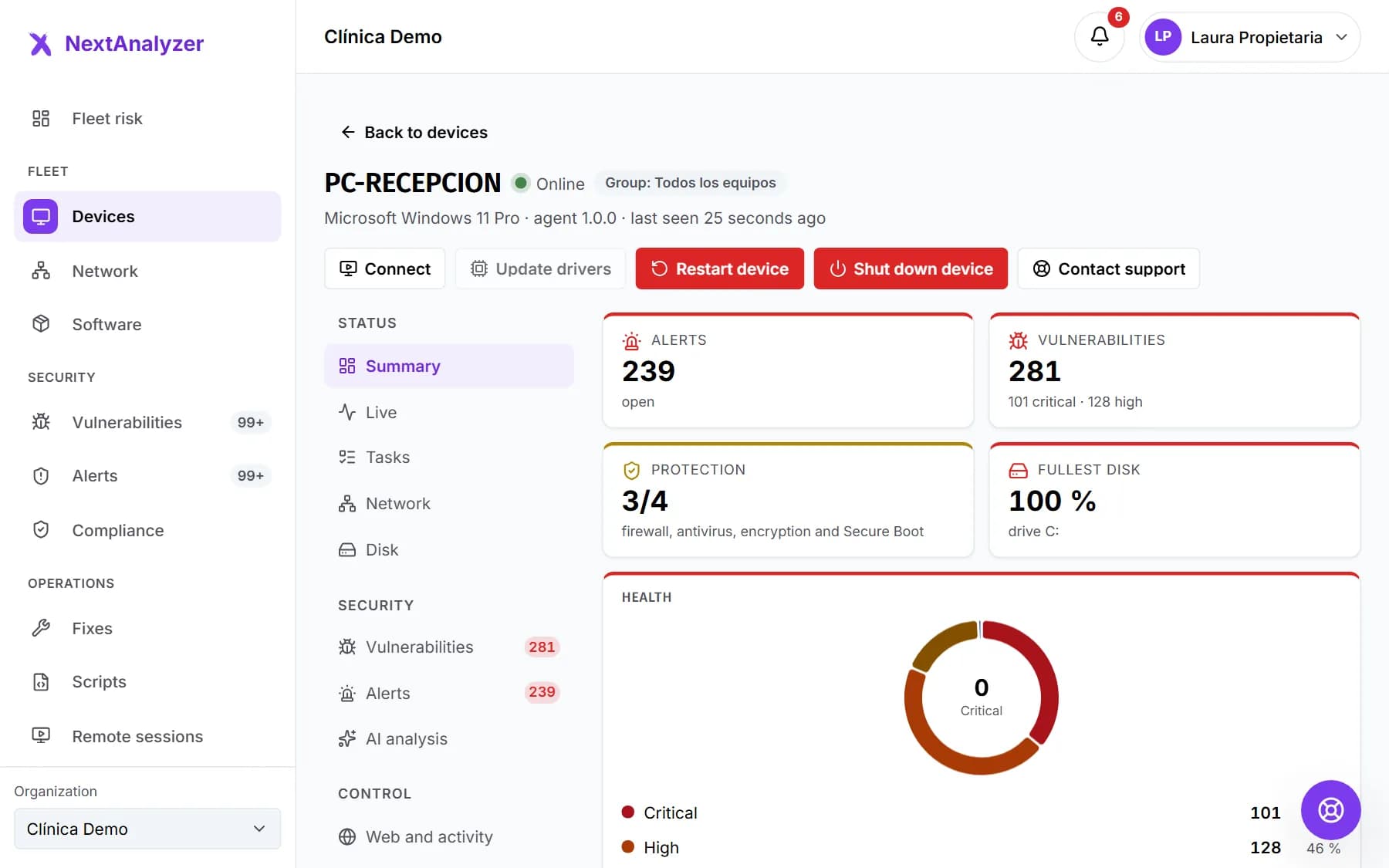
Health, protection, alerts, vulnerabilities, inventory and live status. And when you need to act, you do it from the dashboard, with confirmation and an audit trail.
Firewall, antivirus and disk encryption explained in plain language
Restart, shut down, clean up the disk or update drivers and programs remotely
Connect from the dashboard or from the app with the device code. The person using it accepts first and always sees who is connected; everything is kept in the history.
View only or full control, with chat, clipboard and two-way file transfer
Policies per group: attended or unattended, recording and maximum length
Session history with who, when, how long and what was transferred
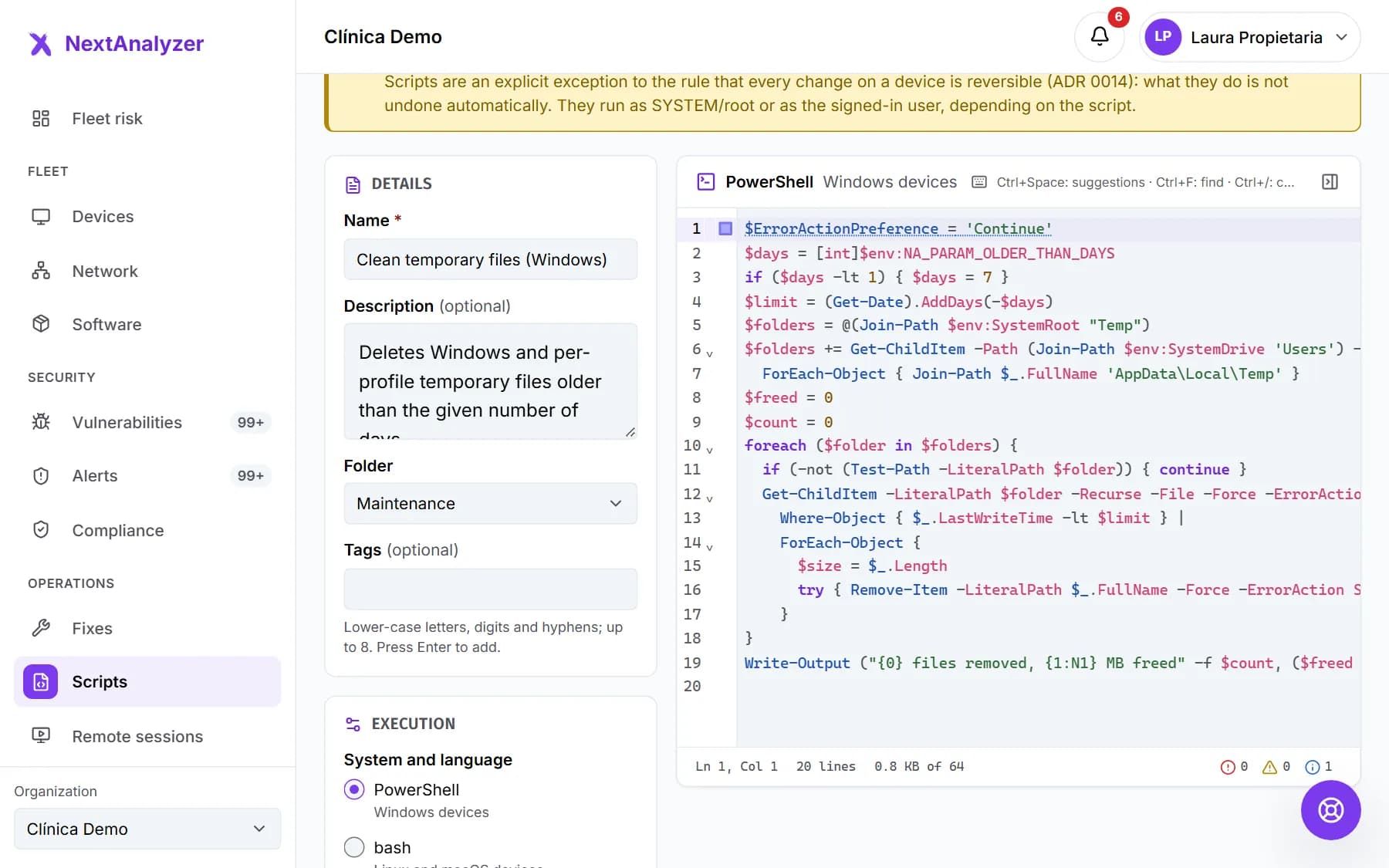
Scripts, software and patches on many devices at once
Fix vulnerabilities, install or remove programs and run signed scripts on groups of devices, with approval, maintenance window and a result per device.
Script editor with help, parameters and warnings about dangerous commands
Bulk install and uninstall with winget, apt, dnf or Homebrew
Pilot devices first and an automatic pause if something fails
PDF reports on fleet risk for management and technical detail for your team, sent automatically every week or month, and how well you meet NIS2, ENS and ISO 27001.
Executive summary in plain language, with charts and recommendations
Scheduled deliveries in your time zone, as an attachment or a link
Indicative compliance control by control, with what fails and what to do
The pieces you need once a device fleet starts to grow.
Windows, macOS and Linux
One agent for Windows 10 and 11 (x64 and ARM), macOS 13 or later and the most common Linux distributions.
Live status
Processes, network, disks and charts for a device every 2 seconds, only while someone is watching, plus its history according to your plan.
Network discovery
Printers, NAS, cameras and computers without the agent on your devices' network, with an alert for anything new.
Self-service apps
People install the programs you approve and request the ones that are missing, without waiting for IT.
Groups and update rings
Organize devices and decide who gets new agent versions first.
AI analysis
What to fix this week, every CVE explained and a device analysis, with minimized data and labelled so you review it. On Business and Enterprise, also an optional weekly summary by email.
Activity history
Apps and domains, never content. Off by default: the owner turns it on, the device user sees a notice and every lookup is audited.
Roles and members
Owner, administrator, technician and viewer. Invitations that expire.
Single sign-on (SSO)
Sign in with Microsoft Entra ID, Google Workspace or another OIDC provider, on the Enterprise plan.
Full audit trail
Every sensitive action is recorded: who, when and on what. Exportable from Business.
Two-factor authentication
A code from your app on top of your password. The owner decides who must use it: nobody, everyone or only the people they mark.
Firewall and ports
Checks that the system firewall is on, lists open ports with their risk and alerts you about dangerous ones. On Windows it can be turned on with one click from the app. Rules and secure mode, coming soon.
Ad blocking
Removes ads and trackers across the whole device with the DNS filter and, in Chrome, Edge and Firefox, with a blocker installed by policy. You enforce it or each person decides.
API and integrations
A public API with keys and scopes, and automatic tickets in Jira, Freshdesk or HaloPSA.
Chat support
Open a ticket from the dashboard and get its reference straight away. Talk to us in real time, with attachments, and rate the help when it is closed.
Your brand
With Enterprise, the dashboard and the device app carry your colors, your logos and your name.
Getting started
Your first protected device in minutes
No card, no servers to set up and nobody to call.
1
Create your account
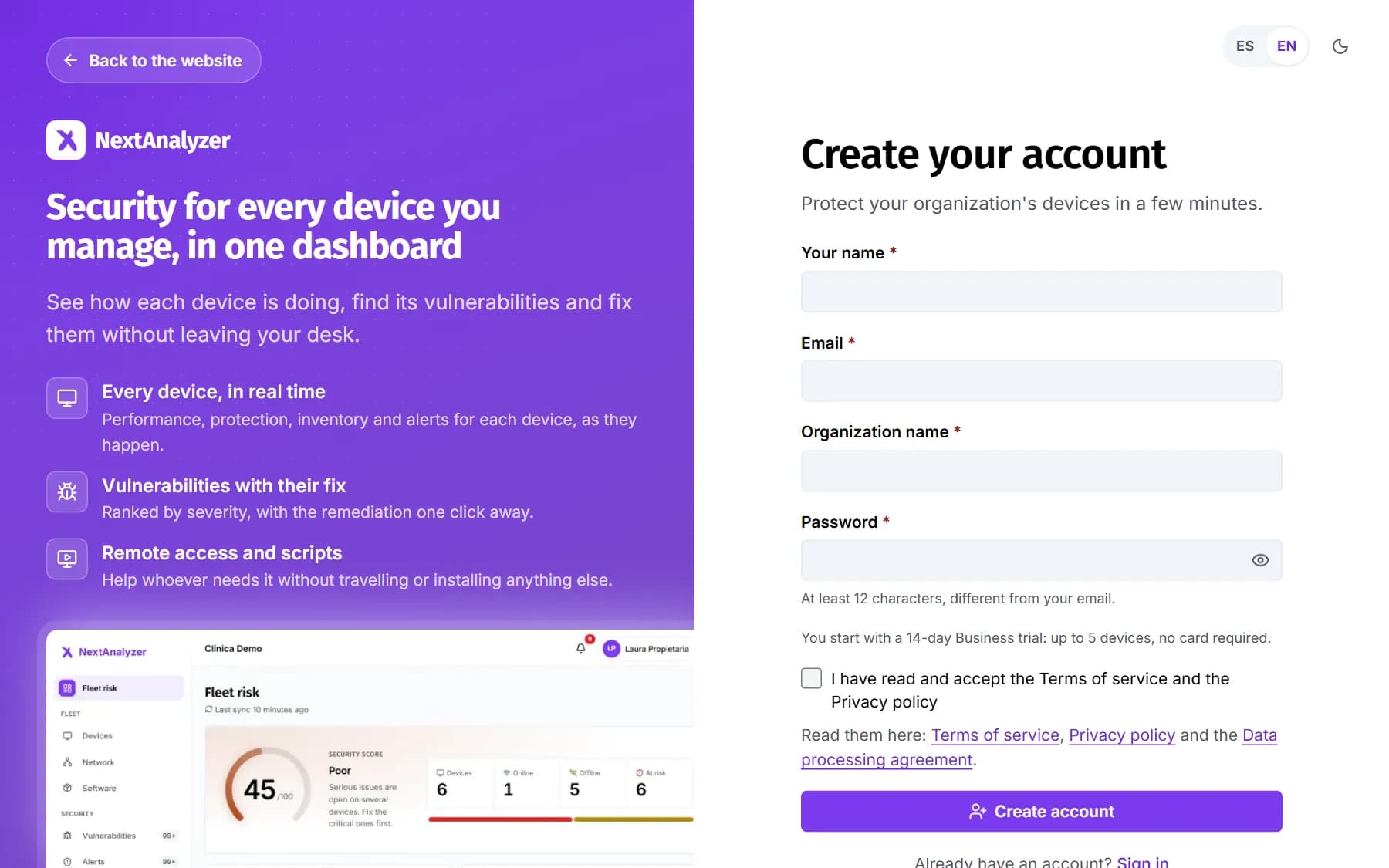
Name, email and organization. You start with a 14-day trial of the Business plan, up to 5 devices, no card.
Create account
2
Install the agent
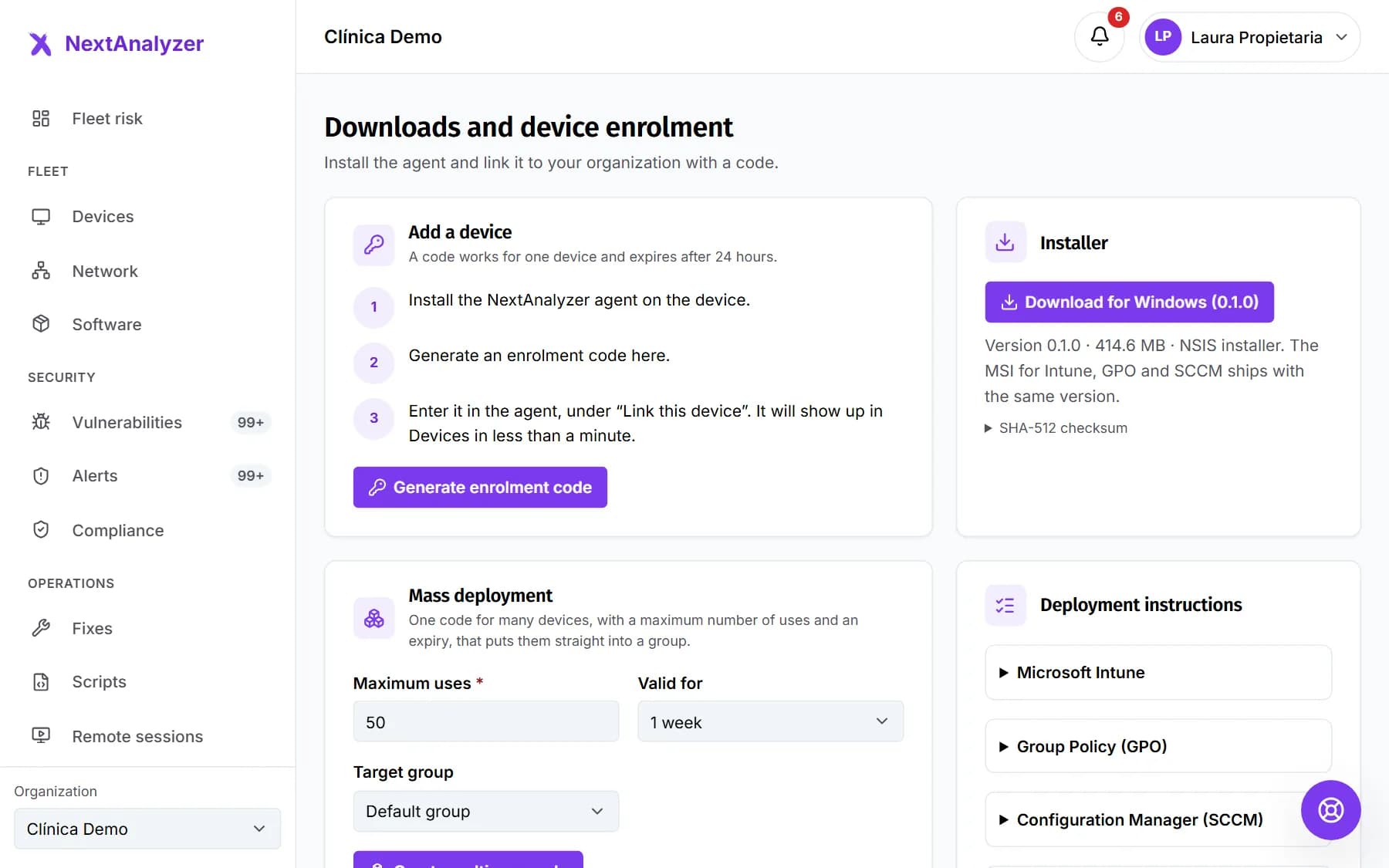
Download the installer, generate an enrollment code in the dashboard and type it into the agent. The device shows up in under a minute.
Downloads
3
Review the risk and fix it
Follow “Start here”: the most urgent vulnerabilities, explained and with their solution.
An agent with privileges demands guarantees. Here are ours.
Visible privacy
Activity history is off by default, only stores applications and domains, and device users see a notice while it is on.
Separate access
Customers, NextAnalyzer staff and devices do not share accounts, tokens or routes. Your organization only sees its own data.
Everything reversible
Before touching the firewall, DNS or web blocking, the agent saves the previous state. Every action is audited, and scripts and software need approval because they are not undone automatically.
AI with minimal data
What is sent to an AI model is minimized: no user names, no full URLs and no public IPs.
No. You create the account and start with 14 days of the Business plan, up to 5 devices, without giving any payment method.
Which systems does the agent run on?
On 64-bit Windows 10 and 11 (Windows 11 ARM too), macOS 13 or later (Intel and Apple Silicon) and x64 and ARM64 Linux with .deb, .rpm and .pacman packages (Debian, Ubuntu, Fedora, RHEL, Rocky, openSUSE and Arch). It installs as a system service plus an app. The Windows installer is downloaded from the dashboard; the macOS and Linux packages, still in testing, are available from support. A few features only exist on Windows, such as Windows Update patches or Ctrl+Alt+Del in remote access.
Can I connect to devices remotely?
Yes, from your browser with nothing else to install. On every plan, Standard included, you can view or control the screen, use chat and the clipboard, transfer files, record and connect to servers without asking if an administrator enables it. The person always sees who is connected and can end the session.
Can it be used to spy on my employees?
That is not the goal and we do not allow it in secret. Activity history, which stores applications and domains and never content, is off by default. The owner turns it on by accepting a declaration, users see a permanent notice and every query is audited.
How do I deploy it to many devices?
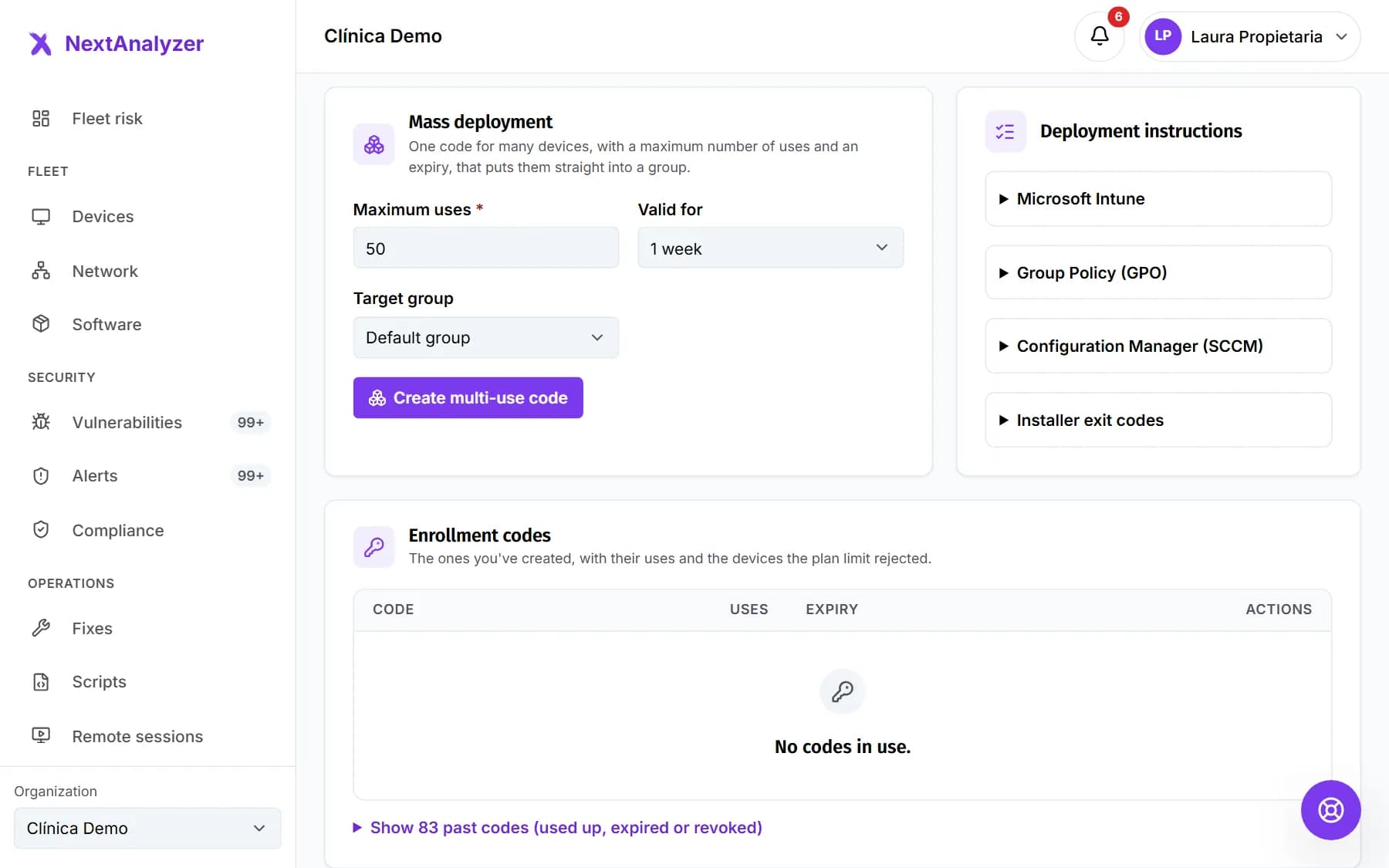
With a multi-use code and silent installation: the MSI for Intune, Group Policy (GPO) and Configuration Manager (SCCM), the macOS package for Jamf or another MDM and the Linux packages with your own scripts. It is available from the Business plan.
What happens if I exceed my plan's devices?
On Business and Enterprise you can add extra devices up to a cap per plan, billed separately per device. The dashboard tells you the cost before you create the code. Standard has no extras: if you need more, you upgrade with proration.
Can I undo what the agent does?
Yes, for everything that protects the device: the agent saves the previous state before touching the firewall, DNS or web blocking, and uninstalling it puts everything back. Scripts and program installs are the exception: they are not undone automatically, which is why they need approval. Everything is kept in the audit log.
Does the AI see my devices' data?
Only a minimized copy: each device under an alias, no user names, no public IPs or URLs, and never the activity history or the list of installed apps. The health score is computed by the platform; the AI only explains it. Everything it generates is labelled so you review it before acting.
What happens when the trial ends?
If you do not choose a plan, the organization becomes read-only: you can still see everything, but you cannot enroll devices or change policies. After 30 days it is suspended.
How do I get help if something goes wrong?
From the dashboard, in Support, you open a ticket in four steps and get its reference (SUP-…) straight away. If you write outside business hours, we tell you. You follow the conversation in real time, with screenshots, and we email you when we reply. Once it is resolved, we ask you once to rate it.
Does it replace my antivirus?
No. NextAnalyzer checks that each device's antivirus (for example, Microsoft Defender) is on and up to date, finds vulnerabilities and misconfigurations and helps you fix them. It doesn't scan files for viruses and it isn't an EDR.
What if the agent fails? Is the device left without internet?
No. On Windows, the agent sets two public resolvers as alternate DNS servers (8.8.8.8 and 1.1.1.1 by default). If its filter doesn't start or stops responding, the device keeps browsing with them, although no websites are blocked in the meantime. The service checks itself every minute and repairs itself, and uninstalling it leaves the network as it was.
Start protecting your devices today
14 days of the Business plan, up to 5 devices and no card needed. In a few minutes you will know how your fleet is doing.